






Librarian Tutorials
Here are all the librarian tutorials from the GoT Discord. I've uploaded the videos to the GoT Google Drive for backup and archiving purposes.
This page is currently public. The other pages connected to the Librarian Article Checklist are private and only accessible to Librarians and House Leaders.
—Shy
starting a world
the Euclid editor
basic formatting
adding images
and viewing your article
The tutorial:video
notes with links
dealing with starting article anxiety
the editor's bottom tool bar
editor side panels
auto linker
visual space
The tutorial:video
notes and links
organizing images
organizing articles
creating a page with a list of your articles
row and column bbcode
a quick overview of where to enter your article in to a WA competition and how to view your entries for it
More on images can be found farther down in the tutorials list.
The tutorial:Video
Video Tutorial
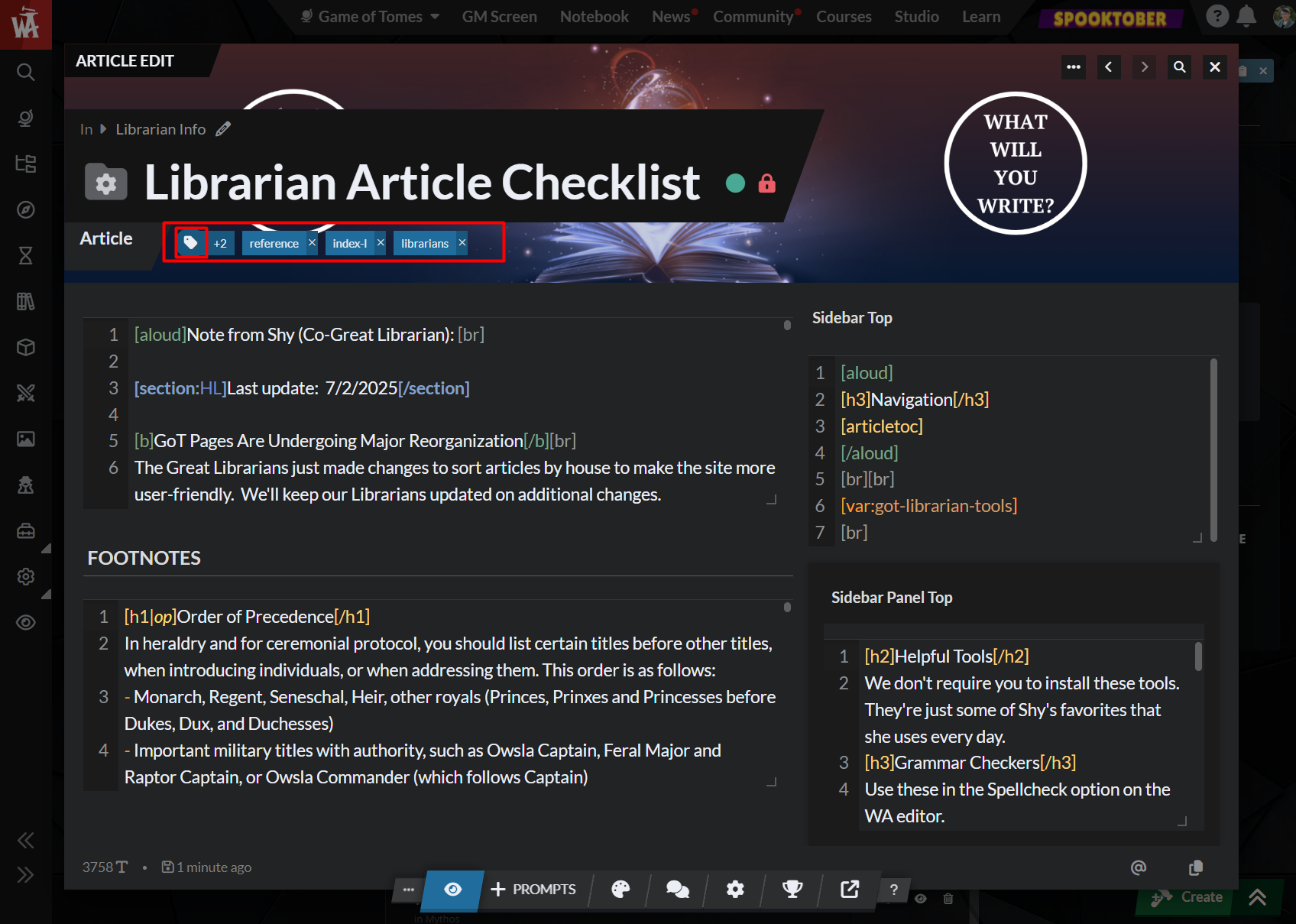
I haven't found it in the new editor. But in the old editor it's tucked under "Advanced options" -> Referenced in-> Load references list.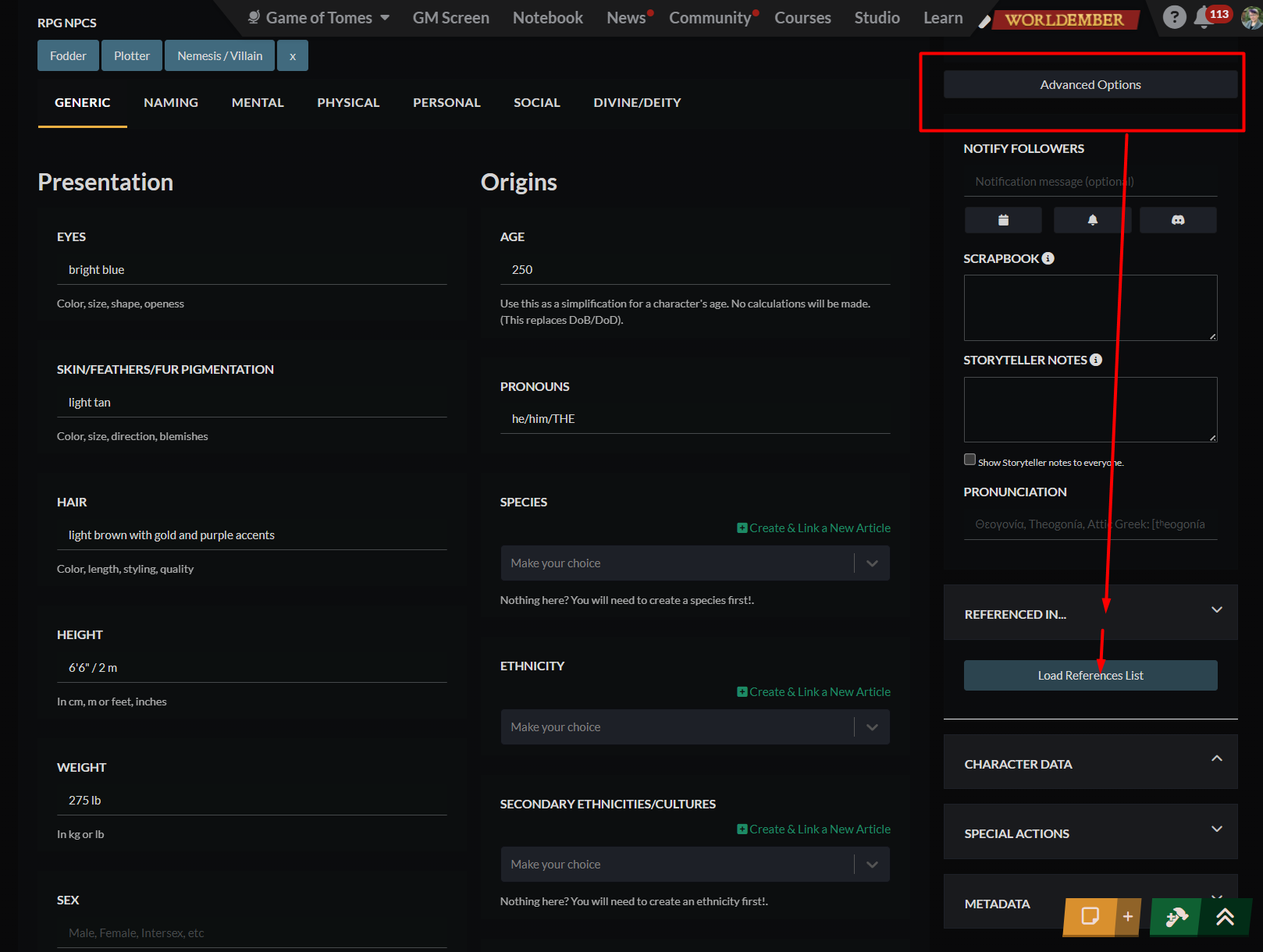
how to use the new image editor
we chatted on best practices with images (webp file type and file size max for when you have lots of images on a page to help it load faster)
how to credit images
a chat on header creation in Canva
and some tips and tricks
Video Tutorial
Feel free to ask if people with a subscription can help if you don't have one. (It takes only 1-2 minutes to do and is very easy once you get the flow down.)
go to the HF via the link
ensure the base/stage and base items are removed. (Stage-> base (click trash can). Same for base items (extras except for creature companions)) (If this is your own HF figure, save it without the base and extra items. It will save you steps later.)
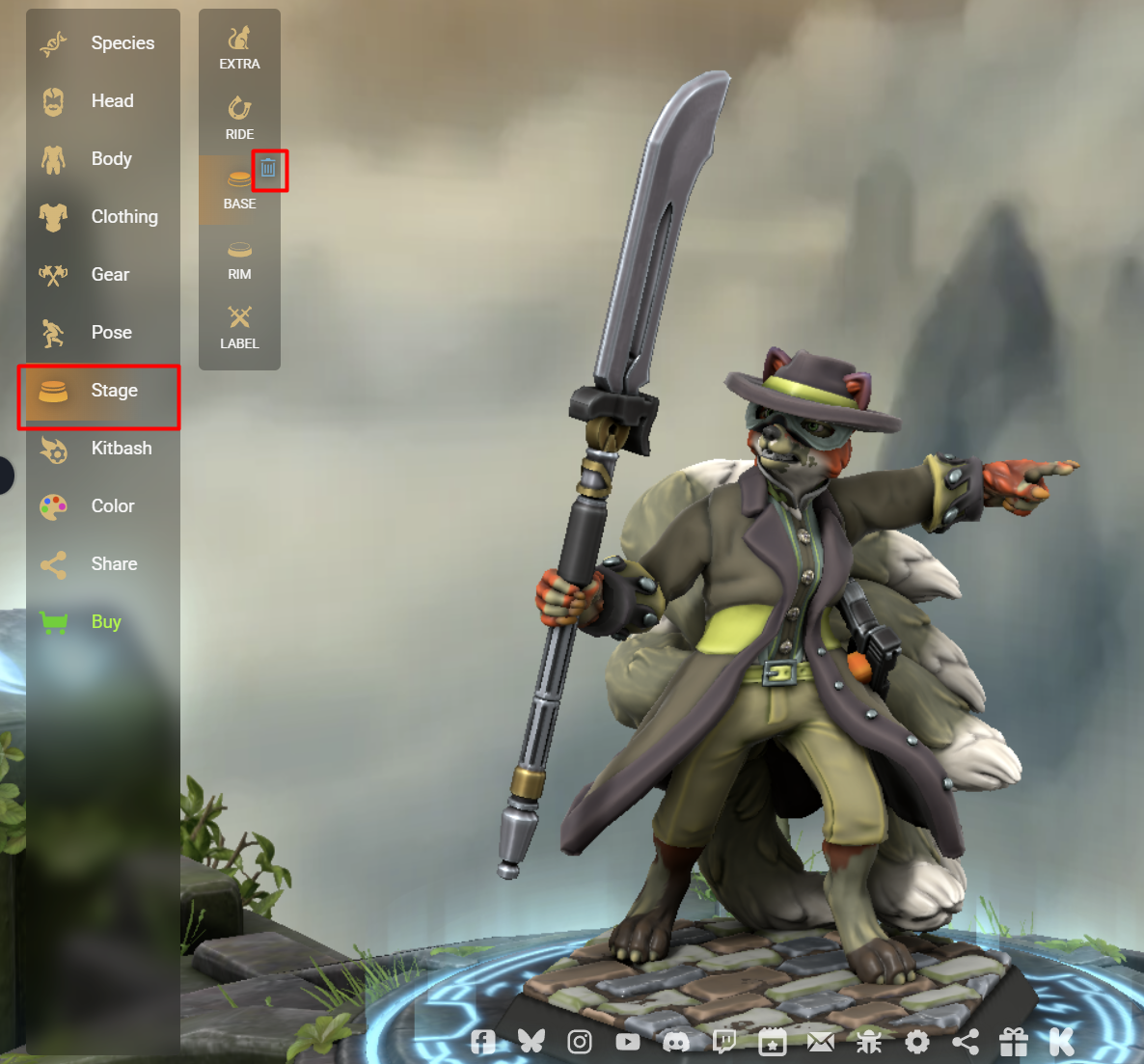
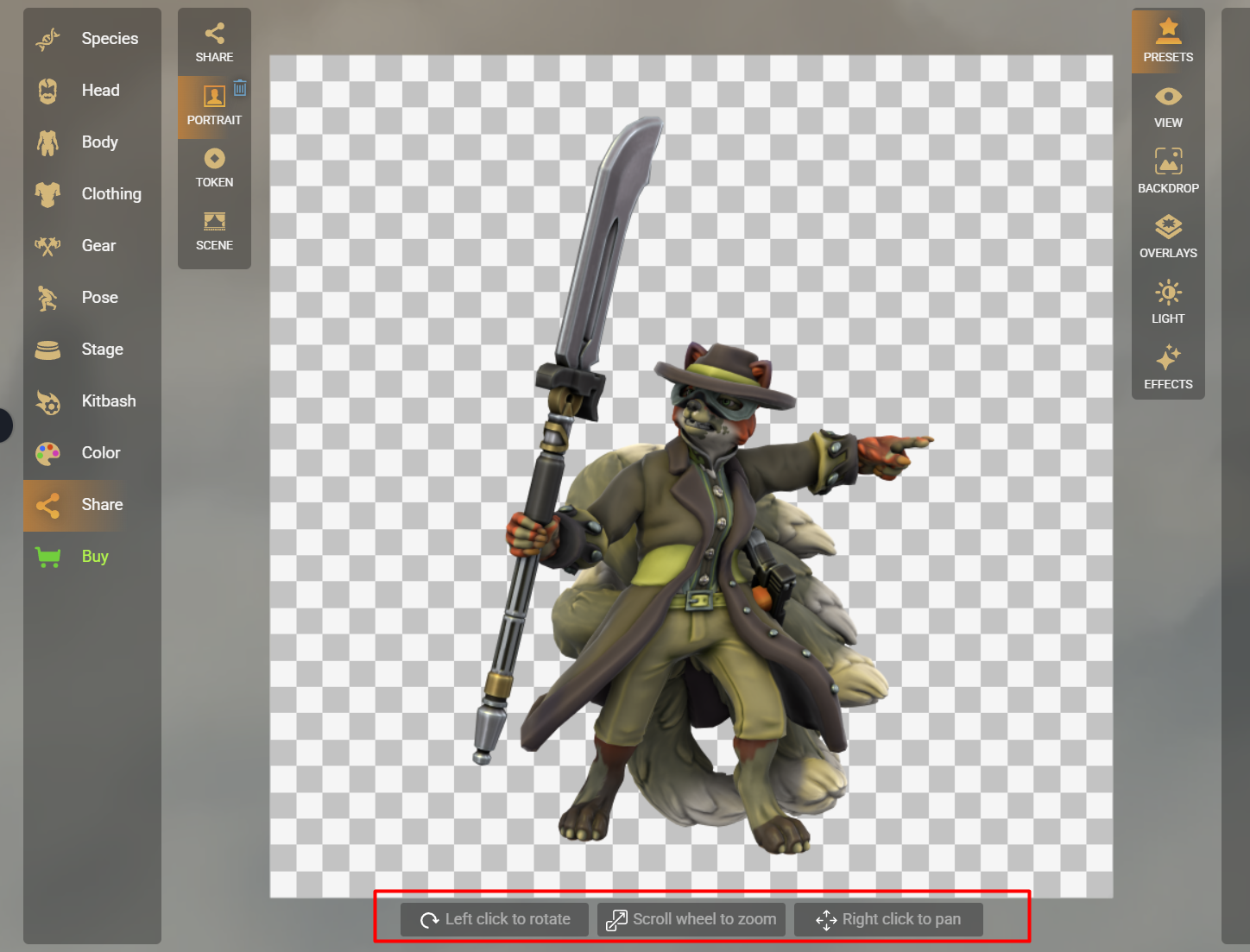
click on Share->portrait
there are instructions at the bottom of the screen to resize, move, and center the figure
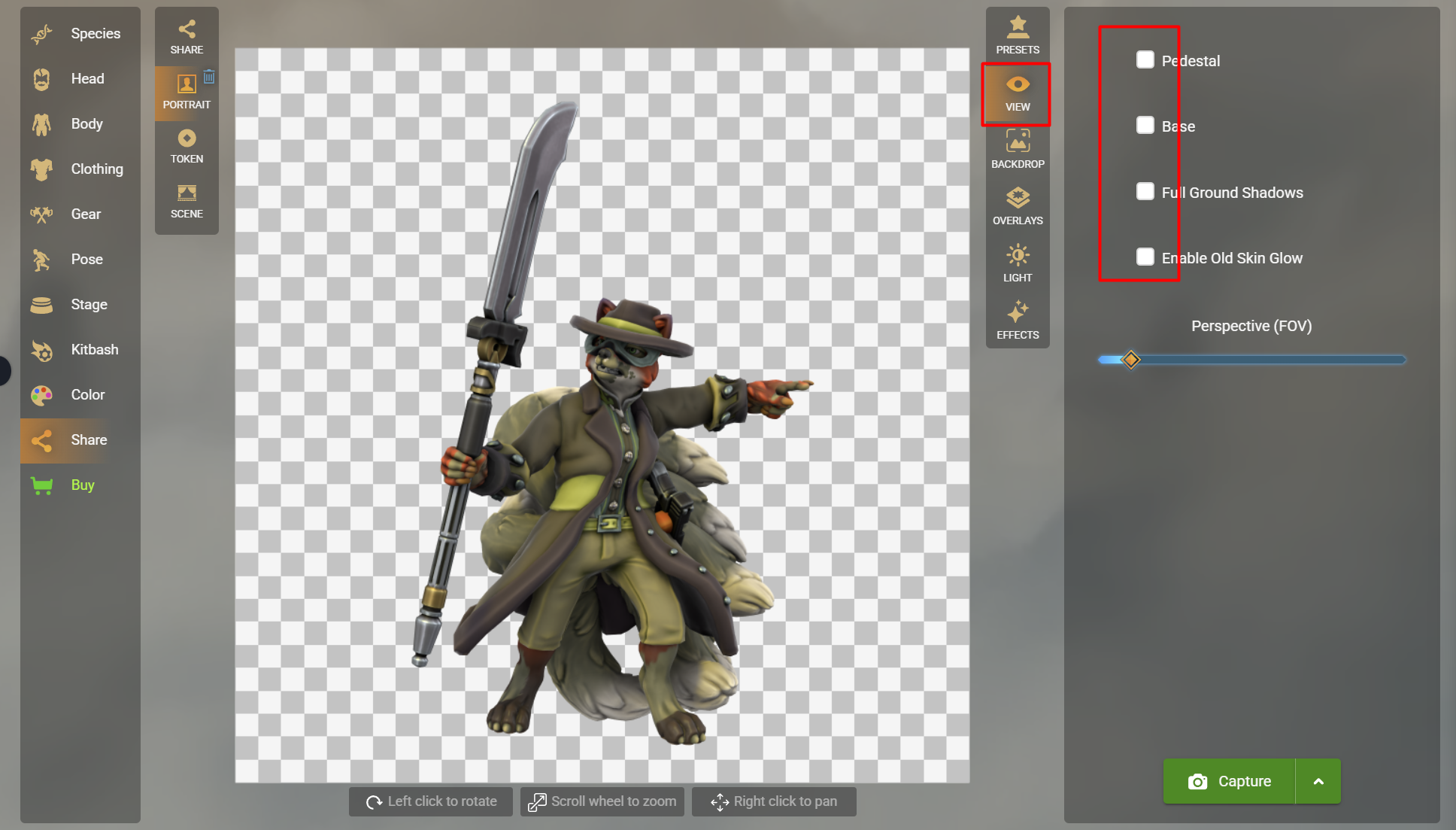
click View and Ensure all the options are unchecked (we don't want them)
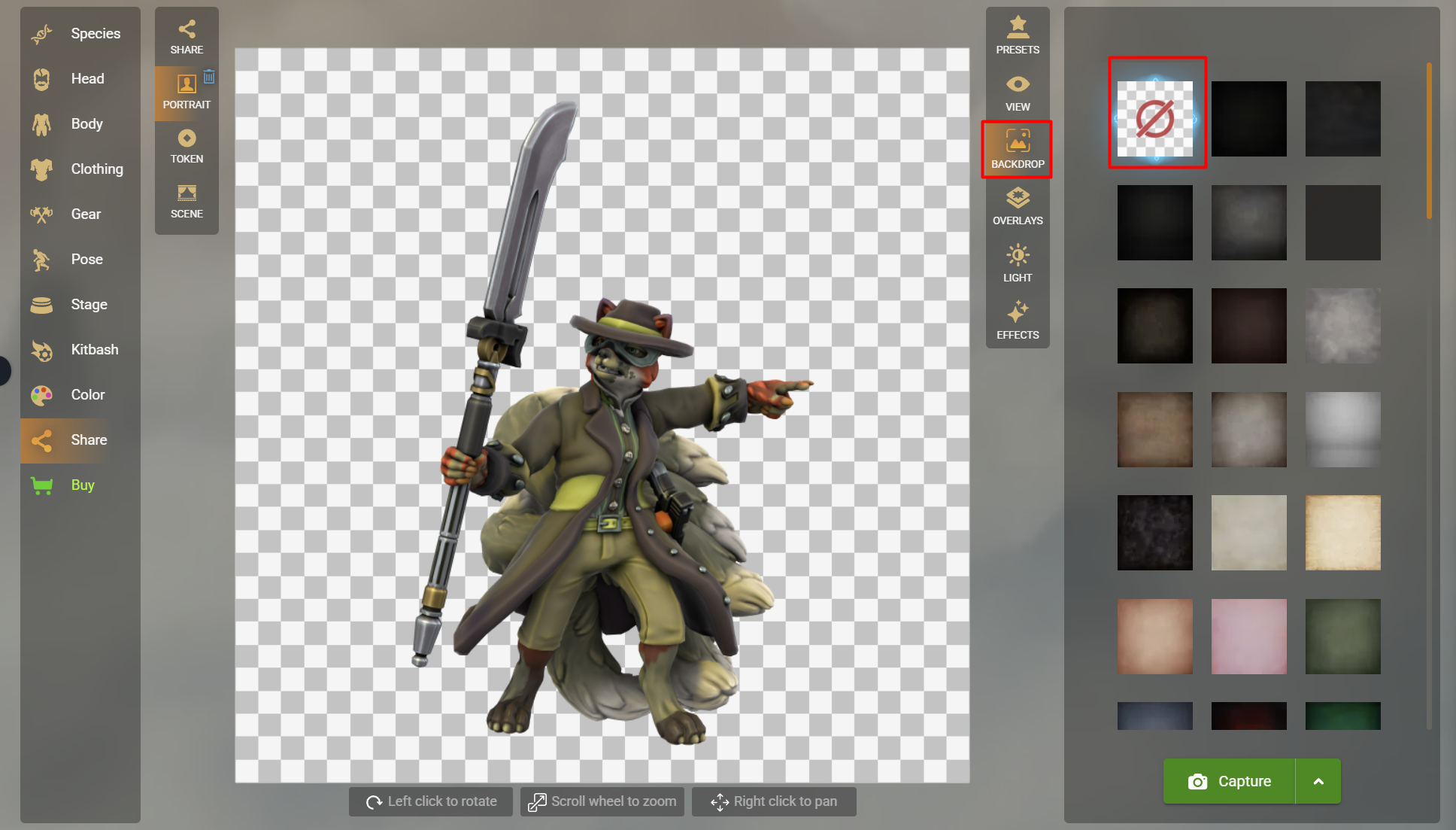
if the back drop is not transparent, go to backdrop and click that option
click Capture and download the image
Get the HF Images into World AnvilGo to the GoT world Dashboard. (Poke Shy or Sable if you need to know how to switch worlds.) https://www.worldanvil.com/p/athena
in the side bar click the image icon. the image manager will open
under folders, click the arrows to find the folder you need and click on it (I tried to mimic the article folder structure but the needs were a little different.)
drag your image into that folder. (You should see a notification screen if you drag an hold the image for just a second or so - then drop it.)
click on the image you uploaded. It will open the image "editor" -> this is really the image INFO editor.
update the title (so when you hover over the image on a page the text that shows up makes sense to the reader)
update the artist name, alt text (if you can, just a simple description), and if applicable the other fields.
click the "..." in the upper right and grab the image BBCode by clicking the clipboard icon.
close the image window and the image manager by clicking the "x" in the upper right twice.
paste the BBCode where needed.
(See LAC 3: Copyright, Graphics, Branding for more on uploading images.)
Anchors (aka IDs, if you're talking about HTML)
What we might use Tag lists for:related things
lists of body guards
types of foods
spells in a school of magic
places in a protectorate
pets/litmon people have
If you need a tag added to the tag list or if you add one yourself:please let me (Shy) know
please let the whole librarian group know
I'm asking for the notifications because things tend to become automatic as we are creating articles and we may miss the new tag in the listing.
Video Tutorial
I did my best to answer those questions. This is a bit more of an advanced topic. So please ask if you have questions or something isn't clear. (Just give me as detailed a question/info as you can, ok?)
Video Tutorial
I shared how I do captions and Clockwocket added quite a few great tips! Captioning Video
Sable also did a captioning tutorial in 2023, though the Canva video editor has changed a bit since then. Video link.
This page is currently public. The other pages connected to the Librarian Article Checklist are private and only accessible to Librarians and House Leaders.
—Shy
Absolute Beginner Tutorials
Part 1
We coveredThe tutorial:
Part 2
We coveredThe tutorial:
Part 3
We coveredMore on images can be found farther down in the tutorials list.
The tutorial:
Transition to New WA Editor
Rin (on the WA server) wrote an article manager transition guide. I'm finding it helpful. Hope it helps y'all with transitioning to the new article manager too.Tips and Tricks for using WA's new editor
We didn't really get to cover handling images. But beyond that I think we covered most things. I hope this helps those new to WA or wanting to try using the new editor again. There are some real advantages to it.Video Tutorial
Article Setup
Article Tags
In the new editor: click on the tag and start typing, hit return, and it will verify you want to create the tag.Where an article is referenced
If you need to remove an article or update all the articles that an article references, here's how to find all those references.I haven't found it in the new editor. But in the old editor it's tucked under "Advanced options" -> Referenced in-> Load references list.
Images
WA Image tutorial
Here is the recording of the chat between Nova, Clock and me as we ran throughHow to get Hero Forge character pictures
Some of this (like exporting a transparent background image or kitbashing) can only be done via HF pro subscription.Feel free to ask if people with a subscription can help if you don't have one. (It takes only 1-2 minutes to do and is very easy once you get the flow down.)
Get the HF Images into World Anvil
Advanced WA Usage
WA Anchors, IDs, Tags, and Tag Lists
(30 min)WA Anchors / ID WA Learn page
Tags and Lists
GoT Tag List Tagged List WA Learn pageWhat we might use Tag lists for:
If you need a tag added to the tag list or if you add one yourself:
I'm asking for the notifications because things tend to become automatic as we are creating articles and we may miss the new tag in the listing.
Video Tutorial
Statblocks and Variables
What are they both good for and what are the differences? How do you create them and use them?I did my best to answer those questions. This is a bit more of an advanced topic. So please ask if you have questions or something isn't clear. (Just give me as detailed a question/info as you can, ok?)
Video Tutorial
Archived Scripts
DragonMagpie wrote up a document on how to archive scripts in -Archived Script Layout Guide.Captioning
Note: I know that not all of our captioners are librarians, but I had to make the links to our canva docs private. If you need the Canva docs in the video and can't see them below this note, poke a librarian to get you the links.
I shared how I do captions and Clockwocket added quite a few great tips! Captioning Video
Sable also did a captioning tutorial in 2023, though the Canva video editor has changed a bit since then. Video link.
WIP
Streamer
Missing
Status: Location Unknown
Deceased
Status: Deceased Character
Retired
Status: Retired Character or Article







Comments